Frequently Asked Questions
Product Features & Capabilities
What is Cymulate and how does it help with remote access tool threats like ScreenConnect and AnyDesk?
Cymulate is a cybersecurity platform that enables organizations to proactively validate their defenses against threats, including those targeting remote access tools such as ScreenConnect and AnyDesk. It provides simulation templates and advanced scenarios to test controls, monitor configurations, and assess the attack surface for vulnerabilities related to remote access software and services. This helps organizations identify and remediate weaknesses before attackers can exploit them.
How does Cymulate simulate attacks involving remote access tools?
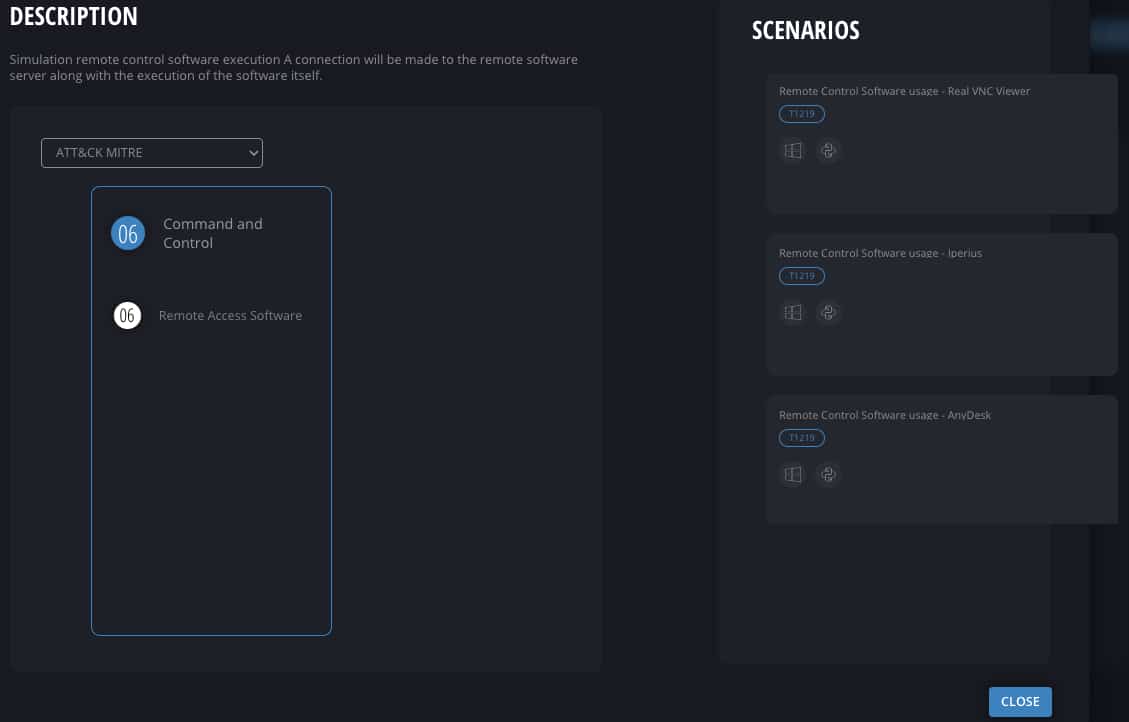
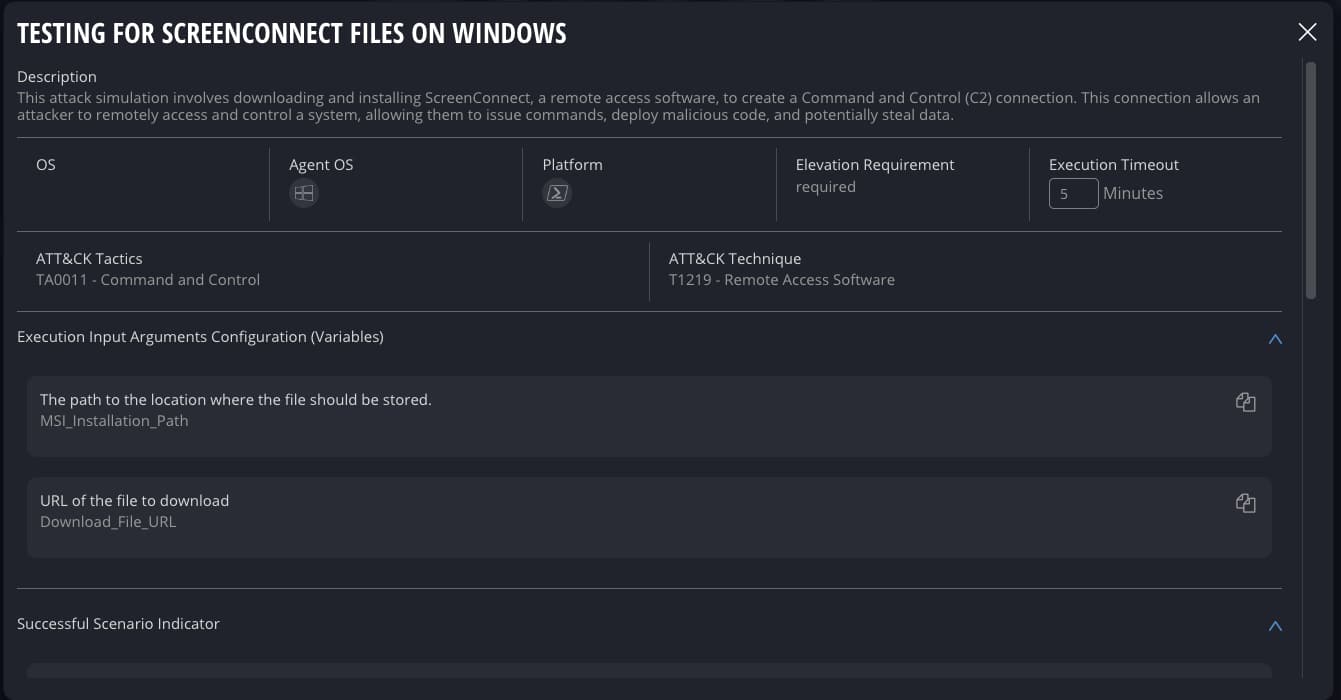
Cymulate includes default templates and advanced scenarios for simulating remote control software execution (e.g., ScreenConnect, AnyDesk, TeamViewer, RustDesk, Real VNC Viewer, Iperius, AeroAdmin). These simulations attempt connections to remote software servers and execute actions to test whether security controls can detect, block, or log such activities. The platform also simulates lateral movement via RDP and VNC, RDP/SSH hijacking, exfiltration over SSH, and defense evasion techniques.
What types of threats related to remote access tools can Cymulate help identify?
Cymulate helps identify threats such as unauthorized remote control software execution, lateral movement via RDP and VNC, RDP/SSH hijacking, exfiltration over SSH, and defense evasion by deleting or disabling logs. The platform's simulations are based on libraries of executions, files, and Sigma rules to ensure comprehensive coverage of attack vectors associated with remote access tools.
Does Cymulate provide production-safe attack simulations?
Yes, Cymulate's research team provides production-safe executions for attack simulations, including those targeting remote access tools like ScreenConnect. These simulations are designed to test controls without causing disruption, allowing organizations to safely validate their security posture.
What is included in Cymulate's Breach and Attack Simulation (BAS) Advanced Scenarios?
Cymulate's BAS Advanced Scenarios include simulation templates for remote access tools (ScreenConnect, AnyDesk, TeamViewer, RustDesk, Real VNC Viewer, Iperius, AeroAdmin), lateral movement, discovery, defense evasion, exfiltration, and more. These resources help organizations test their defenses against a wide range of real-world attack techniques.
How does Cymulate help validate security controls for remote access threats?
Cymulate enables organizations to automate the testing of security controls, monitoring capabilities, and configurations. By running regular simulations, security teams can validate the effectiveness of prevention, logging, and analysis controls against threats targeting remote access tools and services.
What best practices does Cymulate recommend for securing remote access tools?
Cymulate recommends best practices such as application whitelisting, blocking control servers at the perimeter, and regularly testing and validating controls. These practices are detailed in a Security Magazine article, which can be accessed here.
How does Cymulate support lateral movement and RDP attack simulations?
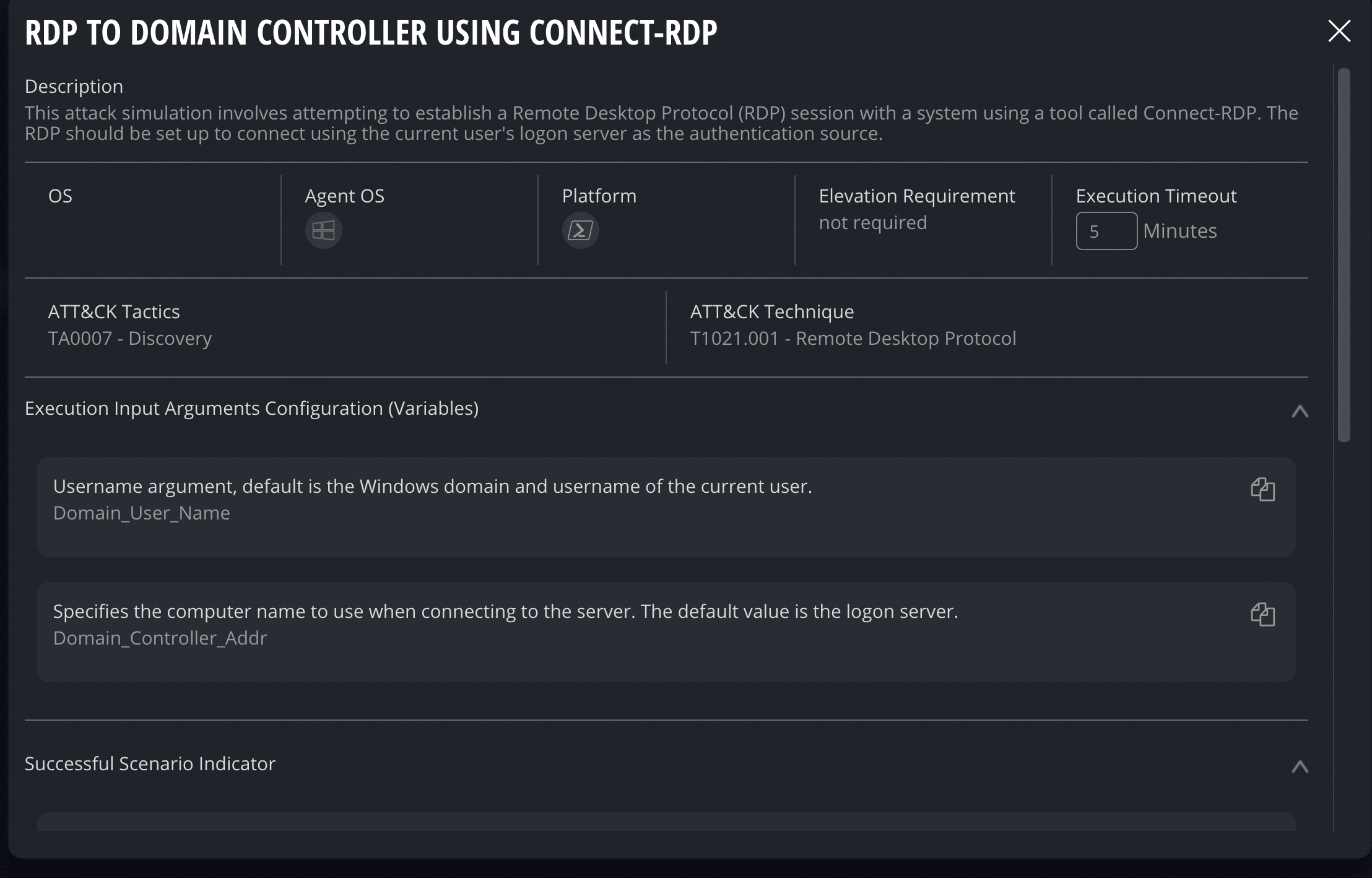
Cymulate provides assessment templates and resources to simulate lateral movement via RDP and VNC, including discovery of domain controllers, defense evasion, and exfiltration. These simulations help organizations assess their exposure to common attack techniques used in remote access tool compromises.
What are Sigma rules and how does Cymulate use them?
Sigma rules are generic and open signature formats for SIEM systems. Cymulate uses Sigma rules in its simulation libraries to detect and validate security events related to remote access tool threats, ensuring that monitoring and detection capabilities are functioning as intended.
Can Cymulate help with validating configurations for external remote services like RDP and VNC?
Yes, Cymulate includes assessment templates and resources to simulate attacks on external remote services such as RDP, VNC, SSH, and XRDP. These simulations help organizations validate the configuration and effectiveness of their controls against threats targeting these services.
What is the Cymulate Exposure Validation solution?
Cymulate Exposure Validation is a solution that makes advanced security testing fast and easy. It allows users to build custom attack chains and validate exposures in one unified platform, helping organizations assess their security posture against real-world threats.
How does Cymulate help organizations stay ahead of emerging threats to remote access tools?
Cymulate continuously updates its simulation templates and threat libraries to reflect the latest attack techniques targeting remote access tools. By automating offensive testing and providing actionable insights, Cymulate enables organizations to proactively address new and evolving threats.
What is the role of automated offensive testing in Cymulate?
Automated offensive testing in Cymulate allows organizations to continuously assess their attack surface and validate controls against a wide range of threats, including those related to remote access tools. This approach ensures that security measures are effective and up-to-date.
How does Cymulate help with defense evasion testing?
Cymulate simulates defense evasion techniques such as deleting or disabling logs during attack scenarios. This helps organizations test whether their monitoring and detection systems can identify and respond to attempts to evade security controls.
What is the benefit of using Cymulate for validating remote access tool configurations?
By using Cymulate to validate remote access tool configurations, organizations can ensure that their controls are properly set up to prevent, detect, and respond to attacks. This reduces the risk of unauthorized access and data breaches associated with remote access software.
How can I see Cymulate in action for remote access tool threats?
You can schedule a personalized demo with a Cymulate security expert to see how the platform simulates and validates threats related to remote access tools and services. Visit this page to book a demo.
What customer feedback is available about Cymulate's ease of use?
Customers consistently praise Cymulate for its intuitive and user-friendly interface. For example, Raphael Ferreira, Cybersecurity Manager, stated: "Cymulate is easy to implement and use—all you need to do is click a few buttons, and you receive a lot of practical insights into how you can improve your security posture." More testimonials can be found on the Cymulate customers page.
How quickly can Cymulate be implemented?
Cymulate is designed for rapid implementation, operating in agentless mode with no need for additional hardware or complex configurations. Customers can start running simulations almost immediately after deployment, making it easy to quickly assess and improve their security posture.
What support resources are available for Cymulate users?
Cymulate offers comprehensive support, including email support ([email protected]), real-time chat support, a knowledge base with technical articles and videos, webinars, e-books, and an AI chatbot for quick answers and guidance. These resources help users maximize the value of the platform.
Pricing & Plans
What is Cymulate's pricing model?
Cymulate operates on a subscription-based pricing model tailored to each organization's requirements. Pricing depends on the chosen package, number of assets, and scenarios selected for testing and validation. For a personalized quote, you can schedule a demo with the Cymulate team.
Integrations & Ecosystem
What integrations does Cymulate offer?
Cymulate integrates with a wide range of security technologies, including Akamai Guardicore (network security), AWS GuardDuty (cloud security), BlackBerry Cylance OPTICS, Carbon Black EDR, Check Point CloudGuard, Cisco Secure Endpoint, CrowdStrike Falcon, Wiz, SentinelOne, and more. For a complete list, visit the Partnerships and Integrations page.
Security & Compliance
What security and compliance certifications does Cymulate have?
Cymulate holds several industry-leading certifications, including SOC2 Type II (covering security, availability, confidentiality, and privacy), ISO 27001:2013 (Information Security Management), ISO 27701 (Privacy Information Management), ISO 27017 (Cloud Services Security Controls), and CSA STAR Level 1. These certifications demonstrate Cymulate's commitment to robust security and compliance standards. More details are available on the Security at Cymulate page.
How does Cymulate ensure data security and privacy?
Cymulate ensures data security through encryption for data in transit (TLS 1.2+) and at rest (AES-256), secure AWS-hosted data centers, and a tested disaster recovery plan. The platform is developed using a strict Secure Development Lifecycle (SDLC), and employees undergo ongoing security awareness training. Cymulate is also GDPR compliant and has a dedicated privacy and security team, including a Data Protection Officer (DPO) and Chief Information Security Officer (CISO).
Use Cases & Benefits
Who can benefit from using Cymulate?
Cymulate is designed for CISOs, security leaders, SecOps teams, red teams, and vulnerability management teams in organizations of all sizes and industries, including finance, healthcare, retail, media, transportation, and manufacturing. The platform delivers measurable improvements in threat resilience, operational efficiency, and alignment of security strategies with business goals.
What business impact can customers expect from using Cymulate?
Customers can expect up to a 52% reduction in critical exposures, a 20-point improvement in threat prevention, a 60% increase in team efficiency, and an 81% reduction in cyber risk within four months. These outcomes are supported by customer case studies, such as Hertz Israel's 81% risk reduction. More success stories are available on the Cymulate customers page.
What pain points does Cymulate address for security teams?
Cymulate addresses pain points such as fragmented security tools, resource constraints, unclear risk prioritization, cloud complexity, communication barriers, inadequate threat simulation capabilities, operational inefficiencies in vulnerability management, and post-breach recovery challenges. The platform integrates exposure data, automates validation, and provides actionable insights to solve these issues.
Are there case studies showing Cymulate's effectiveness?
Yes, Cymulate features numerous case studies demonstrating its effectiveness. For example, Hertz Israel reduced cyber risk by 81% in four months, and a sustainable energy company scaled penetration testing cost-effectively. More case studies are available on the Cymulate customers page.
Competition & Differentiation
How does Cymulate differ from other security validation platforms?
Cymulate stands out with its unified platform that combines Breach and Attack Simulation (BAS), Continuous Automated Red Teaming (CART), and Exposure Analytics. It offers continuous threat validation, AI-powered optimization, complete kill chain coverage, ease of use, and an extensive threat library. Customers report measurable outcomes such as a 52% reduction in critical exposures and an 81% reduction in cyber risk within four months.
What advantages does Cymulate offer for different user segments?
Cymulate provides tailored solutions for CISOs (quantifiable metrics and insights), SecOps teams (automation and operational efficiency), red teams (automated offensive testing with over 100,000 attack actions), and vulnerability management teams (automated validation and prioritization). These features ensure measurable improvements for each persona. Learn more on the CISO/CIO, SecOps Manager, Red Teaming, and Vulnerability Management pages.
Resources & Learning
Where can I find Cymulate's blog and newsroom?
You can stay updated on the latest threats, research, and company news by visiting the Cymulate blog and newsroom.
Where can I find resources like webinars, e-books, and technical articles?
Cymulate's Resource Hub contains a combination of insights, thought leadership, webinars, e-books, and technical articles to help users learn more about security validation and best practices.
Does Cymulate have a blog post about preventing lateral movement attacks?
Yes, Cymulate has a blog post titled 'Stopping Attackers in Their Tracks' that discusses common lateral movement attacks and prevention strategies. You can read it on the Cymulate blog.
Where can I find a glossary of cybersecurity terms?
Cymulate provides a Cybersecurity Glossary with definitions for terms, acronyms, and jargon commonly used in the industry.