

Shadow IT
The CIO’s Guide to Shadow IT: Visibility, Validation and Control
Shadow IT refers to the use of software, hardware, cloud services or other IT tools within an organization without the IT department's approval or oversight.
This includes any technology adopted outside official IT processes, like using a personal cloud drive for work files or creating an unofficial Slack channel.
Shadow IT is now common in enterprises, with Gartner estimating it makes up 30 to 40% of IT spending in large companies. Easy access to cloud apps and personal devices encourages employees to bypass formal IT channels, creating a hidden layer of tech use.
Shadow IT creates security blind spots and increases the organization’s attack surface. Without visibility, IT teams cannot apply updates, monitor systems or protect data.
Sensitive information may be handled through unsecured tools, and third-party services may fail to meet compliance standards.This makes the organization vulnerable to cyberattacks.
In fact, 60% of organizations fail to include Shadow IT in their threat assessments, leaving them vulnerable to potential security breaches. This shows that unmanaged tech use has real consequences like data breaches and regulatory issues.
Defining Shadow IT: From Devices to SaaS
Shadow IT (sometimes called stealth IT) refers to any IT system, device, software, application or service used in an organization without explicit approval from the IT department. Unlike malware or external threats, shadow IT usually involves well-meaning employees or teams deploying tools on their own. For example, someone might install a free file-sharing app to make their work easier, or a team could subscribe to a SaaS project management tool without going through official channels. These tools form “shadow” systems that operate outside the visibility and control of IT.
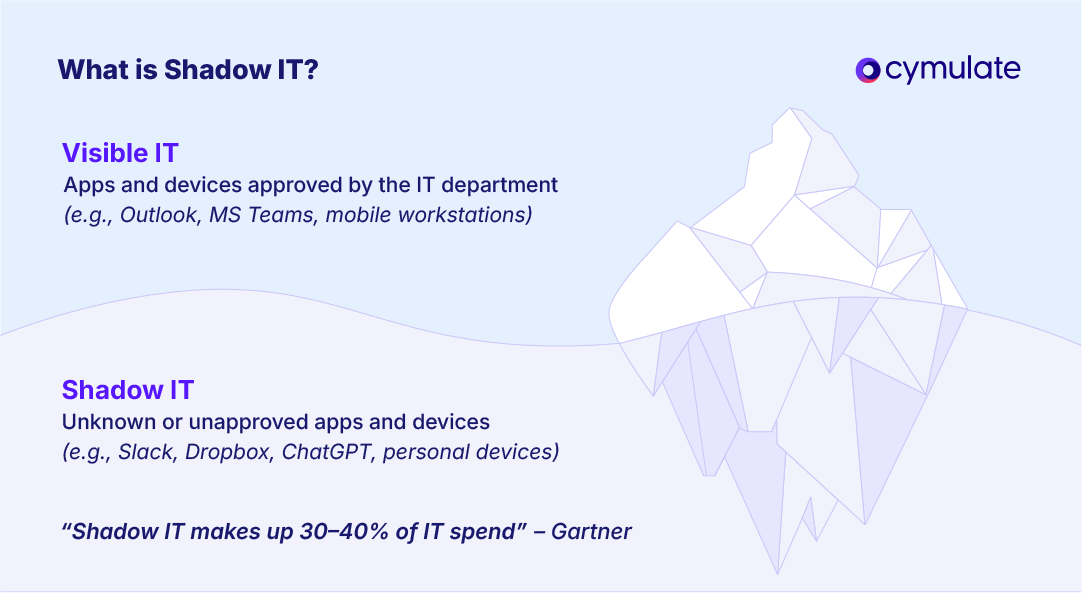
Shadow IT covers a wide range of technologies. It could be as simple as using personal cloud storage like Dropbox or Google Drive, or as advanced as creating an unapproved server or database in the cloud.
It includes SaaS apps, mobile apps, personal devices on the network and even hardware bought without IT review. Today, the most common type of shadow IT is cloud-based SaaS, since employees can easily sign up and use online tools without alerting IT.
Research shows IT departments often underestimate the number of cloud apps in use, in one case, the real number was three times higher than what IT knew.
It’s worth noting that shadow IT usually comes from a need to work more efficiently, not from bad intent. Employees adopt these tools to fill functional gaps or avoid slow approval processes. The following section explores these motivations in more detail.
Common Reasons Shadow IT Thrives in Companies
Shadow IT has grown in organizations due to a mix of practical needs and human behavior. Employees and even managers often choose unsanctioned tools to work more efficiently, especially when official processes feel slow or limiting. Below are the most common drivers:
Convenience and Speed
Modern cloud services are easy to access, allowing users to get started immediately. Many employees bypass IT simply because they don’t want to wait for approvals or support.
When procurement is slow, a user might turn to a free app within minutes to meet an urgent need. This instant usability makes do-it-yourself solutions very appealing.
Better Functionality or User Experience
Official software is often seen as outdated or lacking. Employees look for tools with better features, smoother integrations, or a more user-friendly interface.
When corporate tools feel restrictive, people naturally shift toward consumer-grade apps that better suit their workflow.
Frustration with Official Processes
Formal review and approval cycles in many companies can feel too slow or bureaucratic. Teams working under pressure may avoid delays by skipping IT entirely. For example, a marketing team might deploy an analytics platform without waiting weeks for approval.
Likewise, limited IT support or rigid policies (like blocked admin rights or file size limits) often push staff to find workarounds on their own.
Remote Work and BYOD Growth
The shift to remote work and the rise of Bring Your Own Device (BYOD) policies have made IT oversight more difficult. Employees working from home or on personal devices can easily bring in unapproved tools.
Anyone with a credit card can subscribe to a cloud app. During the remote work boom, many set up their own collaboration tools without involving IT. These setups often run undetected on personal laptops or phones connected to the network.
Lack of Awareness or Downplaying Risk
Some employees simply don’t know the security risks of unauthorized tools, while others ignore them, thinking the threat is minimal. Many value productivity more than strict compliance. A Gartner survey revealed that 69% of employees intentionally bypassed cybersecurity rules when those rules slowed them down.
Without proper education, even well-meaning workers may overlook how a seemingly simple app can expose the organization to real threats.
Security Risks of Shadow IT
Unapproved IT tools and services introduce serious security and compliance threats because they operate outside of IT’s oversight. Below are the main risks organizations face when shadow IT goes unmanaged.
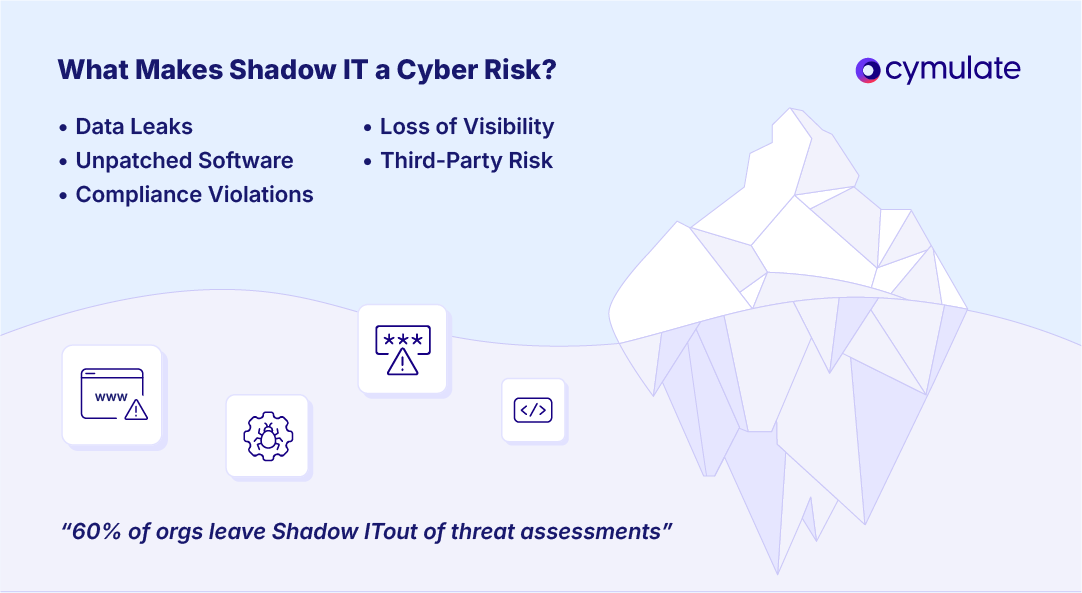
Loss of Visibility and Control
By definition, shadow IT creates blind spots in the organization. IT teams don’t know these systems exist, so they can’t monitor, patch or secure them.
Vulnerabilities may go unnoticed, and attackers can exploit weak points like default credentials or unencrypted connections. In large organizations, hundreds of such tools may be in use, widening the attack surface significantly.
Unpatched Software and Misconfigurations
Unofficial tools often miss out on security patches and routine maintenance. Employees may not install updates or know how to configure apps securely.
These tools become entry points for malware and cyberattacks. Unlike managed systems, shadow IT is more likely to be outdated or poorly configured, making it a common cause of security incidents.
Data Leakage and Loss
Shadow IT tools frequently lead to data exposure. Employees may store or share sensitive company data through unsecured services, increasing the chance of data breaches. Files on personal accounts can be compromised, and since IT isn’t backing up these systems, important information can be lost permanently.
Also, with data scattered across unsanctioned apps, teams often lack a single source of truth, leading to errors and inconsistencies.
Compliance Violations
Many industries must comply with data regulations like GDPR, HIPAA or PCI DSS. Official systems are vetted for compliance, but shadow tools often aren’t.
For example, using an unapproved cloud app to store customer data may breach GDPR rules if it doesn’t follow EU data protection laws. This can lead to fines and legal penalties, and it weakens the organization’s overall compliance framework.
Third-Party Risk Exposure
Shadow IT bypasses the Third-Party Risk Management (TPRM) process. Employees may use software from vendors without IT’s evaluation.
These third-party apps could have poor security practices or histories of breaches. If such a vendor is compromised, your data may be too. Without formal agreements, there is often no visibility or control over how the vendor handles company data.
Increased Attack Surface
Every unmonitored tool adds a potential entry point for attackers. Shadow IT can include connected devices, cloud databases, or apps that request OAuth permissions to access corporate accounts like Office 365.
These cloud-to-cloud connections often go undetected, allowing attackers to exploit them if the third-party app is compromised. This expands the attack surface in ways traditional network defenses can't see.
Shadow IT Applications in the Enterprise
Shadow IT can appear in nearly every tech category used within a business. Most often, these are popular consumer or cloud services informally introduced by employees. Below are the most common types of shadow IT found in enterprises:
- Cloud Storage and File Sharing: Employees may upload work files to personal cloud accounts like Dropbox, Google Drive or Box without IT’s approval. This duplicates corporate data in unmanaged environments, creating shadow data repositories outside the organization’s visibility.
- Productivity and Project Management Tools: Teams often adopt tools like Trello, Asana, AirTable or Notion to manage work when official tools fall short. In some cases, departments may use unmanaged Google Docs or Office 365 accounts, creating isolated systems without IT oversight.
- Communication and Messaging Apps: Staff may switch to familiar messaging platforms like Slack, WhatsApp, Telegram, or Zoom if they find corporate tools inconvenient. Even using personal email or Zoom accounts for work conversations creates parallel communication channels that IT cannot monitor or secure.
- Software Development and IT Tools: Developers and IT personnel also contribute to shadow IT. They may create unmanaged cloud environments, use unauthorized code repositories, or subscribe to SaaS tools for testing or monitoring. A developer might deploy a test server on AWS using a personal account or host code in a private GitHub repo. These resources can hold sensitive data and often go untracked after use, posing hidden risks.
- Emerging Tech and Niche SaaS: Employees frequently experiment with new tools like AI writing assistants, data analytics platforms, online CRMs or niche SaaS tailored to specific tasks. If someone pastes sensitive content into an AI tool, it becomes shadow IT, especially if the tool collects or stores data. These tools may be convenient but bypass IT review, making them risky.
Detecting Shadow IT Before It Becomes a Breach
You can’t protect what you can’t see. Detecting shadow IT is essential, but not always straightforward. Fortunately, several tools and strategies can help uncover unsanctioned apps and devices in your environment
Monitor Network Traffic and Logs
Track outbound network traffic to spot unauthorized activity. If users are frequently connecting to domains like Dropbox or Slack that were never approved, it's a red flag. Tools like firewalls, secure web gateways and network monitoring solutions can log or block such traffic.
Also, reviewing DNS queries and proxy logs can uncover signs of shadow IT by exposing suspicious domain requests.
Use Cloud Access Security Brokers (CASBs)
CASBs act as intermediaries between users and cloud services, helping IT teams detect and control cloud-based shadow IT. These tools can:
- Automatically discover unknown SaaS apps
- Assess risk levels of used services
- Enforce policies like encryption or data loss prevention (DLP)
- Block or limit unauthorized cloud usage
CASBs provide visibility and control, making it much harder for unsanctioned cloud apps to go unnoticed.
Deploy Endpoint Agents and Asset Management Tools
Another angle is to look at the devices themselves. Installing endpoint management or inventory agents on company laptops/desktops can help track what software gets installed or what services are being used. These agents can report back on applications that are running or browser extensions in use.
IT can then investigate unfamiliar names. Even without agents, periodic asset scans (for example, using an automated vulnerability scanner) can sometimes discover rogue devices or servers on the network and identify open ports or services that shouldn’t be there.
Managing and Mitigating Shadow IT
Eliminating shadow IT entirely is often unrealistic, but you can manage it effectively by combining clear policies, practical processes and supportive technology. Following methods and strategies are tested to manage and mitigate all possible shadow IT threats:
- Establish Clear Policies and Governance: Start by drafting a clear policy that defines acceptable technology use and directly addresses shadow IT. Let employees know which tools are restricted and why, while offering a structured process to request new apps or services.
You might require all new SaaS tools to be vetted by IT within a specific timeframe. This avoids pushing users to go around the system. Also, maintain an updated inventory of approved tools and their owners to ensure accountability and traceability. - Simplify App Approval and Procurement: Many employees turn to shadow IT simply because official approval takes too long. Make it easier to request and access new tools by streamlining internal processes. This could mean using an internal portal for software requests, reducing paperwork or providing a pre-approved list of vetted tools. When IT collaborates with departments and responds quickly to real needs, users are less likely to adopt unauthorized solutions. The goal is to meet business needs without creating friction.
- Educate and Train Employees: Many users don't realize the risks of shadow IT. Regular training can raise awareness about data breaches, compliance issues and the importance of using sanctioned tools. Use real-world examples to make the impact more relatable.
Also, show employees how to safely request new tools instead of blocking them entirely. According to Gartner, trained employees are 2.5 times less likely to introduce cybersecurity risks, making education one of the most effective defenses. - Continuous Monitoring and Inventory Management: Managing shadow IT is an ongoing task, not a one-time fix. Monitor network traffic, scan devices regularly, and update your asset inventory to catch new tools early. Use solutions that alert you when employees connect to previously unknown services.
You can even schedule quarterly shadow IT reviews and encourage teams to self-report tools they find useful. When IT listens and evaluates rather than punishes, employees are more willing to cooperate, turning shadow IT into a potential source of innovation insights. - Use Security Validation and Exposure Management: Some shadow IT will always slip through. That’s why continuous validation is essential. Tools like exposure management platforms or breach-and-attack simulations test your environment like an attacker would.
These tools can reveal if an unsanctioned app is exposing data or if a forgotten database is accessible from the internet.
Cymulate’s Role in Addressing Shadow IT
Cymulate is an Exposure Management and Threat Validation platform that helps organizations uncover and manage shadow IT risks, even though it's not a direct inventory tool like a CASB. It brings shadow IT into view by identifying security weaknesses across the organization’s environment.
The platform offers comprehensive attack surface visibility by integrating with data sources and scanning tools. This allows it to detect assets like unsanctioned cloud stores or forgotten apps, bringing them into the broader security picture.
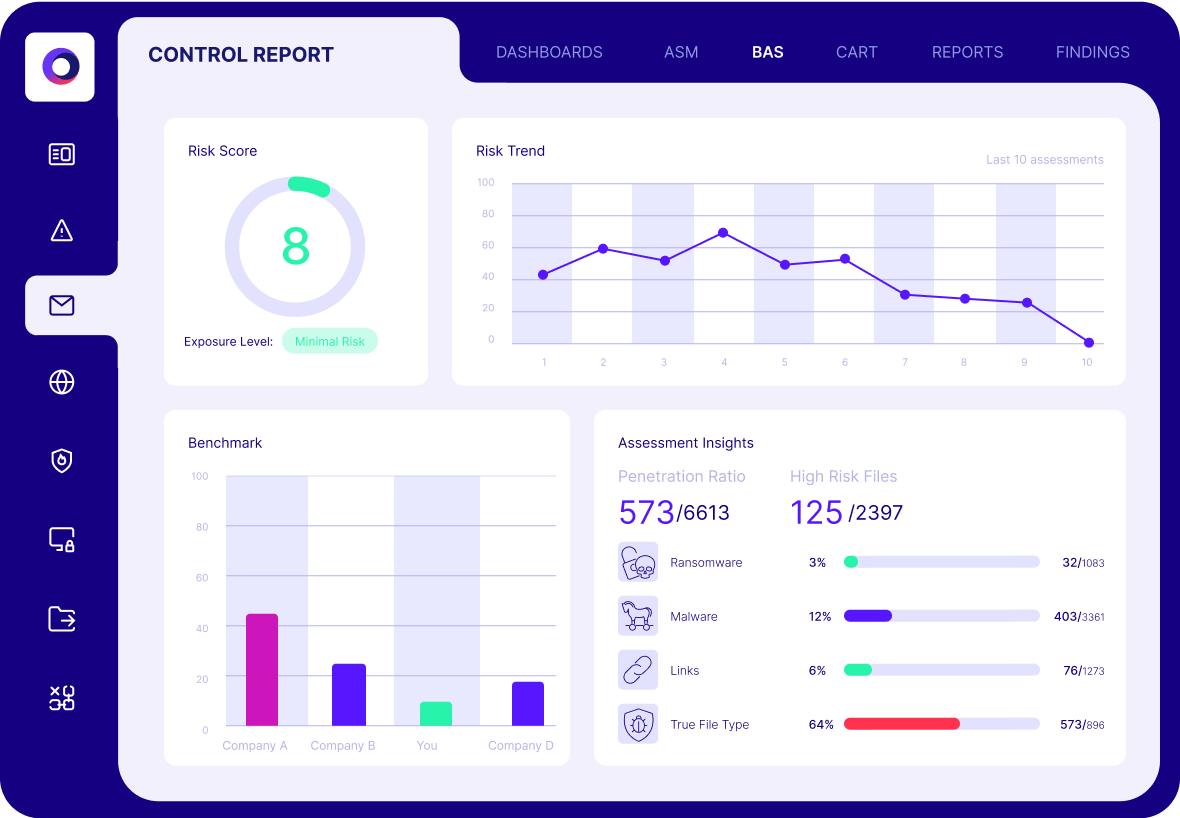
Cymulate also continuously tests security controls using simulated attacks. If employees use an unapproved collaboration tool, Cymulate can test whether threats like data exfiltration or malware could pass through. These automated breach-and-attack simulations expose control failures introduced by shadow IT.
One of the platform’s biggest strengths is its risk-based prioritization. Not all shadow IT poses the same danger, so Cymulate correlates technical findings with threat intelligence and business context to highlight what matters most. This helps you focus remediation on high-risk apps instead of wasting time on minor issues.
The platform also offers actionable remediation guidance. Once a weakness is discovered, it suggests the fix, and after applying changes, lets you re-test to confirm the exposure is resolved. This feedback loop strengthens your overall security posture. In fact, companies that run monthly exposure validations with Cymulate report 20% fewer breaches on average.
Cymulate enables a secure innovation culture. Instead of shutting down all new tools, security teams can allow flexibility, knowing Cymulate will alert them if a tool introduces real risk. Shadow IT becomes just another set of assets tested and monitored under the broader security strategy.
Shift Your Strategy for Shadow IT
Employees will naturally seek out tools that help them work faster or more efficiently, often without IT’s approval. While this behavior introduces security and compliance risks, it can be managed effectively.
The key lies in developing a strategy focused on visibility, control and risk prioritization. Shadow IT becomes dangerous only when it goes unnoticed or unmanaged.
Effective management begins with visibility, using monitoring tools and open communication to identify which unsanctioned tools are in use. Once discovered, organizations should apply appropriate security controls and assess each instance based on its actual risk level.
Not all shadow IT is equally harmful, the focus should be on securing assets that handle sensitive data or expose critical vulnerabilities, while deprioritizing those with minimal impact.
Featured Resources
View More Resources
Threat Exposure Validation Impact Report 2025
See how companies use Cymulate to reduce attack surfaces, including unmanaged assets
What Are “Bring Your Own Vulnerable Driver” (BYOVD) Attacks?
BYOVD (Bring Your Own Vulnerable Driver) attacks are cyber security attacks that exploit vulnerabilities in drivers, leveraging new techniques that