Frequently Asked Questions

Threats & Technical Details

What is Parrot TDS and how does it compromise web servers?

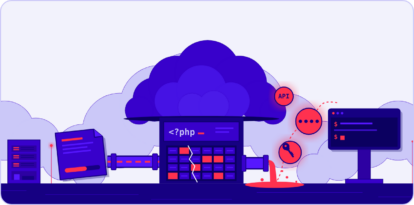
Parrot TDS is a traffic direction system used by attackers to compromise web servers, often by exploiting weak login credentials or poorly secured servers. It deploys malicious PHP scripts and web shells to gain admin access, proxy traffic, and execute arbitrary code, threatening millions of users by hosting phishing sites and delivering malware payloads. (Source: Original Webpage)

How does Parrot TDS use PHP scripts to maintain persistence?

Parrot TDS uses malicious PHP scripts that both proxy victim requests to the attacker's command and control (C2) server and allow arbitrary code execution, effectively creating a backdoor. These scripts are often named after their containing folders and are placed in various locations to evade detection. (Source: Original Webpage)

What types of content management systems are most affected by Parrot TDS?

Parrot TDS has been observed compromising web servers running various content management systems, most notably WordPress (including the latest versions) and Joomla. (Source: Original Webpage)

How does Parrot TDS filter and target users?

Parrot TDS uses filtering based on the User-Agent string, cookies, and referrer to ensure each user is only targeted once, preventing repeated requests and reducing server overload. This filtering also helps evade detection and maximize the effectiveness of the attack. (Source: Original Webpage)

What is the infection chain used by Parrot TDS?

The infection chain involves a user visiting a compromised site, receiving JavaScript that may set cookies or prompt a malicious download, fingerprinting the client, and ultimately delivering a remote access tool (RAT) such as NetSupport Client. The RAT is disguised as a legitimate process and configured for stealth, giving attackers persistent access. (Source: Original Webpage)

How does the FakeUpdate campaign enhance Parrot TDS attacks?

The FakeUpdate campaign adds a second layer of defense by using unique URLs and JavaScript-based PC scanning to deliver malicious content to specific users, making the attack harder to replicate and investigate. (Source: Original Webpage)

What information does Parrot TDS collect from infected machines?

Parrot TDS collects detailed information such as PC name, user name, domain name, manufacturer, model, BIOS version, antivirus products, MAC address, running processes, and OS version. This data is used to tailor attacks and maximize impact. (Source: Original Webpage)

How does Parrot TDS achieve persistence on victim machines?

Persistence is achieved by installing the NetSupport Client RAT, often named ctfmon.exe, and configuring it to start automatically via a Windows registry key. The RAT is set up for stealth, disabling chat functions and enabling silent mode. (Source: Original Webpage)

What mitigation strategies can help defend against Parrot TDS?

Mitigation strategies include securing web servers with strong credentials, keeping CMS and plugins updated, monitoring for unauthorized PHP scripts or web shells, and using security validation tools like Cymulate to proactively test defenses against similar threats. (Source: Original Webpage, Cymulate Knowledge Base)

How does Cymulate help organizations validate their defenses against threats like Parrot TDS?

Cymulate provides continuous threat validation by simulating real-world attacks, including phishing, malware, lateral movement, and zero-day exploits. This helps organizations identify and remediate vulnerabilities before attackers can exploit them. (Source: Cymulate Knowledge Base)

Features & Capabilities

What are the key features of Cymulate's Exposure Management Platform?

Cymulate's Exposure Management Platform offers continuous threat validation, unified BAS and CART, AI-powered optimization, complete kill chain coverage, attack path discovery, automated mitigation, cloud validation, and an intuitive user interface. (Source: Cymulate Knowledge Base)

Which types of threats can Cymulate validate?

Cymulate validates threats across the full kill chain, including phishing, malware, lateral movement, data exfiltration, and zero-day exploits, using daily updated threat templates and AI-generated attack plans. (Source: Cymulate Knowledge Base)

Does Cymulate integrate with other security tools?

Yes, Cymulate integrates with a wide range of security technologies, including Akamai Guardicore, AWS GuardDuty, BlackBerry Cylance OPTICS, Carbon Black EDR, Check Point CloudGuard, CrowdStrike Falcon, and more. For a full list, visit the Partnerships and Integrations page. (Source: Cymulate Knowledge Base)

How does Cymulate's 'Threat (IoC) updates' feature improve threat resilience?

Cymulate's 'Threat (IoC) updates' feature provides recommended Indicators of Compromise that can be exported and applied directly to security controls, improving resilience by enabling rapid defense against new threats. (Source: Cymulate Knowledge Base)

What is threat exposure prioritization in cybersecurity?

Threat exposure prioritization is the process of identifying and ranking vulnerabilities based on their exploitability and impact on business-critical assets. Cymulate automates this process, helping teams focus on exposures not protected by existing controls. (Source: Cymulate Knowledge Base)

What technical documentation does Cymulate provide?

Cymulate offers whitepapers, guides, solution briefs, data sheets, and e-books covering exposure management, CTEM, detection engineering, and more. Access the full library at the Resource Hub. (Source: Cymulate Knowledge Base)

Use Cases & Benefits

Who can benefit from using Cymulate?

Cymulate is designed for CISOs, security leaders, SecOps teams, red teams, and vulnerability management teams across industries such as financial services, healthcare, retail, and more. Organizations of all sizes, from small businesses to enterprises, can benefit. (Source: Cymulate Knowledge Base)

What business impact can customers expect from using Cymulate?

Customers typically see a 30% improvement in threat prevention, a 52% reduction in critical exposures, a 60% increase in team efficiency, and an 81% reduction in cyber risk within four months. (Source: Cymulate Knowledge Base)

How quickly can Cymulate be implemented?

Cymulate can be implemented rapidly, often in just a few clicks, with minimal resources required. Customers report fast, straightforward deployment and immediate access to actionable insights. (Source: Cymulate Knowledge Base)

What feedback have customers given about Cymulate's ease of use?

Customers consistently praise Cymulate for its intuitive, user-friendly interface, ease of deployment, and excellent support. Testimonials highlight the platform's simplicity and the practical insights it provides. (Source: Cymulate Knowledge Base)

What are some real-world case studies demonstrating Cymulate's value?

Case studies include Hertz Israel reducing cyber risk by 81% in four months, Nemours Children's Health improving detection and response, and a financial services organization automating risk measurement across 10+ entities. See more at the Customers page. (Source: Cymulate Knowledge Base)

Pain Points & Solutions

What core problems does Cymulate solve for security teams?

Cymulate addresses overwhelming threat volumes, lack of visibility, unclear prioritization, operational inefficiencies, fragmented tools, cloud complexity, and communication barriers by providing unified, automated, and actionable security validation. (Source: Cymulate Knowledge Base)

How does Cymulate address the challenge of fragmented security tools?

Cymulate integrates Breach and Attack Simulation, Continuous Automated Red Teaming, and Exposure Analytics into a single platform, reducing complexity and improving efficiency compared to using multiple disconnected tools. (Source: Cymulate Knowledge Base)

How does Cymulate help with cloud security validation?

Cymulate provides dedicated validation features for hybrid and cloud environments, helping organizations address new attack surfaces and validation challenges introduced by cloud adoption. (Source: Cymulate Knowledge Base)

How does Cymulate support communication between security teams and business stakeholders?

Cymulate provides validated exposure scoring and quantifiable metrics, enabling CISOs and security leaders to communicate risk effectively and justify security investments to stakeholders. (Source: Cymulate Knowledge Base)

Pricing & Plans

What is Cymulate's pricing model?

Cymulate uses a subscription-based pricing model tailored to each organization's needs, based on the chosen package, number of assets, and scenarios. For a custom quote, schedule a demo with Cymulate's team. (Source: Cymulate Knowledge Base)

Competition & Comparison

How does Cymulate compare to AttackIQ?

Cymulate offers a larger threat scenario library, AI-powered capabilities, and streamlined workflows for faster security posture improvement. AttackIQ focuses on automated security validation but lacks Cymulate's innovation, threat coverage, and ease of use. Read more. (Source: Cymulate Knowledge Base)

How does Cymulate differ from Mandiant Security Validation?

Mandiant is an original BAS platform but has seen little innovation in recent years. Cymulate continually innovates with AI and automation, expanding into exposure management and being recognized as a grid leader. Read more. (Source: Cymulate Knowledge Base)

What makes Cymulate different from Pentera?

Pentera focuses on attack path validation but lacks Cymulate's depth in assessing and strengthening defenses. Cymulate optimizes defense, scales offensive testing, and increases exposure awareness. Read more. (Source: Cymulate Knowledge Base)

How does Cymulate compare to Picus Security?

Picus may suit organizations seeking a BAS vendor with an on-prem option. Cymulate offers a more complete exposure validation platform covering the full kill chain and cloud control validation. Read more. (Source: Cymulate Knowledge Base)

How does Cymulate compare to SafeBreach?

Cymulate outpaces SafeBreach with unmatched innovation, precision, and automation, featuring the industry’s largest attack library and a full CTEM solution. Read more. (Source: Cymulate Knowledge Base)

How does Cymulate compare to Scythe?

Scythe is suitable for advanced red teams building custom attack campaigns. Cymulate provides a more comprehensive exposure validation platform with actionable remediation and automated mitigation. Read more. (Source: Cymulate Knowledge Base)

How does Cymulate compare to NetSPI?

NetSPI excels in penetration testing as a service (PTaaS), while Cymulate is designed for continuous, independent assessment and strengthening of defenses, recognized as a leader in exposure validation by Gartner and G2. Read more. (Source: Cymulate Knowledge Base)

Security & Compliance

What security and compliance certifications does Cymulate hold?

Cymulate holds SOC2 Type II, ISO 27001:2013, ISO 27701, ISO 27017, and CSA STAR Level 1 certifications, demonstrating robust security and compliance practices. (Source: Cymulate Knowledge Base)

How does Cymulate ensure data security and privacy?

Cymulate hosts services in secure AWS data centers, uses strong encryption (TLS 1.2+ for data in transit, AES-256 for data at rest), and follows a strict Secure Development Lifecycle, including annual third-party penetration tests and continuous vulnerability scanning. (Source: Cymulate Knowledge Base)

Is Cymulate compliant with GDPR?

Yes, Cymulate incorporates data protection by design, has a dedicated privacy and security team, and complies with GDPR requirements. (Source: Cymulate Knowledge Base)

New: 2026 Gartner® Market Guide for Adversarial Exposure Validation
Learn More
Cymulate named a Customers' Choice in 2025 Gartner® Peer Insights™
Learn More
New Research: Azure Arc Privilege Escalation & Identity Takeover
Learn More
An Inside Look at the Technology Behind Cymulate
Learn More

Parrot TDS takes over web servers and threatens millions

April 13, 2022

Analysts identified several infected servers hosting phishing sites. These phishing sites, imitating, for example, a Microsoft office login page, were hosted on compromised servers in the form of PHP scripts. Web servers with different content management systems (CMS) were compromised. Most often WordPress in various versions, including the latest one or Joomla, were affected. Since the compromised web servers have nothing in common, analysts assume the attackers took advantage of poorly secured servers, with weak login credentials, to gain admin access to the servers, but analysts do not have enough information to confirm this theory. The proxied version communicates with the TDS infrastructure via a malicious PHP script, usually located on the same web server, and executes the response content. The code performs basic user filtering based on the User-Agent string, cookies and referrer. Briefly said, this code contacts the TDS only once for each user who visits the infected page. This type of filtering prevents multiple repeating requests and possible server overload. The aforementioned PHP script serves two purposes. The first is to extract client information like the IP address, referrer and cookies, forward the request from the victim to the Parrot TDS C2 server and send the response in the other direction. The second functionality allows an attacker to perform arbitrary code execution on the web server by sending a specifically crafted request, effectively creating a backdoor. The PHP script uses different names and is located in different locations, but usually, its name corresponds to the name of the folder it is in (hence the name of the TDS, since it parrots the names of folders). In several cases, analysts also identified a traditional web shell on the infected web servers, which was located in various locations under different names but still following the same "parroting" pattern. This web shell likely allowed the attacker more comfortable access to the server, while the backdoor in the PHP script mentioned above was used as a backup option. The direct version is almost identical to the previous one. This version utilises the same filtering technique. However, it sends the request directly to the TDS C2 server and, unlike the previous version, omits the malicious backdoor PHP script. It executes the content of the response the same way as the previous version. The Parrot TDS response is JavaScript code that is executed on the client. In general, this code can be arbitrary and exposes clients to further danger. However, in practice, analysts have seen only two types of responses. The first, shown below, is simply setting the __utma cookie on the client. This happens when the client should not be redirected to the landing page. Due to the cookie-based user filtering mentioned above, this step effectively prevents repeated requests on Parrot TDS C2 servers in the future. The user receives JavaScript that changes the appearance of the page and tries to force the user to download malicious code. This JavaScript also contains a Base64 encoded ZIP file with one malicious JavaScript file inside. Once the user downloads the ZIP file and executes the JavaScript it contains, the code starts fingerprinting the client in several stages and then delivers the final payload. The entire infection chain is set up so that it is complicated to replicate and, therefore, to investigate it. Parrot TDS provides the first layer of defence, which filters users based on IP address, User-Agent and referrer. The FakeUpdate campaign provides the second layer of defence, using several mechanisms. The first is using unique URLs that deliver malicious content to only one specific user. The last defence mechanism is scanning the user's PC. This scan is performed by several JavaScript codes sent by the FakeUpdate C2 server to the user. This scan harvests the following information. - Name of the PC - User name - Domain name - Manufacturer - Model - BIOS version - Antivirus and antispyware products - MAC address - List of processes - OS version The final payload is then delivered in two phases. In the first phase, a PowerShell script is dropped and run by the malicious JavaScript code. This PowerShell script is downloaded to a temporary folder under a random eight character name (e.g. %Temp%1c017f89.ps1). However, the name of this PowerShell is hardcoded in the JavaScript code. The content of this script is usually a simple whoami /all command. The result is sent back to the C2 server. In the second phase, the final payload is delivered. This payload is downloaded to the AppDataRoaming folder. Here, a folder with a random name containing several files is dropped. The payloads analysts have observed so far are part of the NetSupport Client remote access tool and allow the attacker to gain easy access to the compromised machines. The RAT is commonly named ctfmon.exe (mimicking the name of a legitimate program). It is also automatically started when the computer is switched on by setting an HKCUSOFTWAREMicrosoftWindowsCurrentVersionRun registry key. The installed NetSupport Manager tool is configured so that the user has very little chance of noticing it and, at the same time, gives the attacker maximum opportunities. The tool basically gives the attacker full access to the victim's machine. To run unnoticed, chat functions are disabled, and the silent option is set on the tool, for example. A gateway is also set up that allows the attacker to connect to the client from anywhere in the world.