Frequently Asked Questions
TeamTNT Attack & Docker/Kubernetes Threats
What is the TeamTNT attack involving compromised Docker Hub accounts?
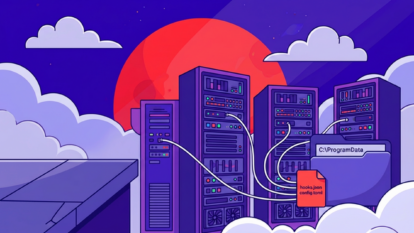
The TeamTNT attack refers to a campaign where threat actors used compromised Docker Hub accounts to distribute malicious container images. These images, when deployed, allowed attackers to execute scripts that could compromise the underlying host, steal credentials, and enable further lateral movement within cloud and container environments. The attack leveraged legitimate tools like Weave Scope for container monitoring and control, making detection more challenging.
How did attackers use Weave Scope in the TeamTNT campaign?
Attackers exploited Weave Scope, a legitimate visualization and monitoring tool for Docker and Kubernetes, by connecting compromised hosts as nodes to their own Weave Scope Cloud instance. This gave them the ability to execute commands, manage containers, and gain persistent access to the environment through a web console, either locally or in the cloud.
What techniques did TeamTNT use to escape containers and access the host?
TeamTNT used bind mounts to mount the host's root file system into a container, then executed scripts (such as 'scope2.sh') to manipulate the environment, evade detection, and gain host-level access. They also searched for Docker Hub credentials stored in configuration files to further compromise accounts and escalate privileges.
How are Docker Hub credentials stored and why are they a target?
Docker Hub credentials are stored in JSON files (e.g., /root/.docker/config.json or /home/*/.docker/config.json) when users log in via the Docker CLI without specifying credential stores. These files contain base64-encoded username and password pairs, making them a valuable target for attackers seeking to access private images, tokens, and other sensitive information.
What is the significance of the 'scope2.sh' script in the attack chain?
The 'scope2.sh' script is a malicious payload downloaded and executed by the attacker. It checks for prior compromise, sets environment variables to evade detection, fetches service tokens, and deploys the Weave Scope utility in a hidden location. This script enables persistent and stealthy control over the compromised host.
How did TeamTNT enumerate exposed Kubelets in Kubernetes environments?
TeamTNT used scripts within malicious containers to scan for exposed Kubelet API endpoints (typically on TCP port 10250). They used tools like masscan and zgrab to identify running pods with open Kubelet ports, then reported these findings back to their infrastructure for further exploitation.
What risks arise from compromised Docker Hub credentials?
Compromised Docker Hub credentials can give attackers access to private images, email addresses, access tokens, Slack webhooks, content subscriptions, and upgraded features. This can lead to further breaches, lateral movement, and data exfiltration within cloud and container environments.
How can organizations detect and mitigate attacks like TeamTNT?
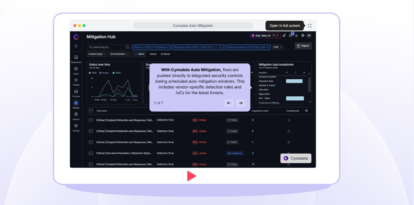
Organizations can detect and mitigate attacks like TeamTNT by continuously validating their security controls, monitoring for suspicious container activity, restricting the use of privileged containers, and regularly scanning for exposed credentials and open Kubelet endpoints. Cymulate's Threat Validation and Exposure Management solutions can help automate these processes and provide actionable insights for remediation.
What is the role of the Docker REST API in container-based attacks?
The Docker REST API can be abused by attackers to create and manage containers remotely. In the TeamTNT attack, the API was used to deploy containers with malicious scripts, enabling the attacker to escalate privileges, scan networks, and execute arbitrary commands on the host system.
How does Cymulate help organizations validate defenses against container and cloud attacks?
Cymulate provides continuous threat validation and exposure management for hybrid and cloud environments. Its platform simulates real-world attacks, including those targeting containers and cloud workloads, to identify exploitable exposures and validate the effectiveness of security controls. This proactive approach helps organizations stay ahead of evolving threats like TeamTNT.
Features & Capabilities
What features does Cymulate offer for threat validation?
Cymulate offers continuous threat validation through automated attack simulations, breach and attack simulation (BAS), continuous automated red teaming (CART), and exposure analytics. The platform covers the full attack kill chain, including phishing, malware, lateral movement, data exfiltration, and zero-day exploits, with daily updated threat templates and AI-generated attack plans.
Does Cymulate support integration with other security tools?
Yes, Cymulate integrates with a wide range of security technologies, including Akamai Guardicore, AWS GuardDuty, BlackBerry Cylance OPTICS, Carbon Black EDR, Check Point CloudGuard, CrowdStrike Falcon, Crowdstrike Falcon LogScale, and Cybereason. For a complete list, visit the Cymulate Partnerships and Integrations page.
How does Cymulate's immediate threats module help organizations respond to new attacks?
Cymulate's immediate threats module is updated rapidly to reflect the latest attack techniques. According to a Penetration Tester, "if an attack is new, you can quickly assess your IT estate for how much of a risk is posed to you and implement remedial action quickly." This enables organizations to respond to emerging threats in real time. Source
What is threat exposure prioritization in cybersecurity?
Threat exposure prioritization is the process of identifying and ranking vulnerabilities and security weaknesses based on their actual exploitability and impact on business-critical assets. Cymulate automates this process with threat validation and exposure scoring, helping teams focus on exposures not protected by existing controls. Learn more
How does Cymulate's 'Threat (IoC) updates' feature improve threat resilience?
The 'Threat (IoC) updates' feature provides recommended Indicators of Compromise (IoCs) that can be exported and directly applied to security controls. This improves threat resilience by giving control owners the exact data needed to build defenses against new threats. Source
What technical documentation is available for Cymulate users?
Cymulate offers whitepapers, guides, solution briefs, data sheets, and e-books covering its Exposure Management Platform, CTEM, threat detection, vulnerability management, and more. Access the full library at the Cymulate Resource Hub.
How easy is it to implement Cymulate and start using it?
Cymulate is designed for rapid implementation. Customers report that deployment is fast and straightforward, with agentless mode, quick onboarding, and minimal resource requirements. Support is available via email, chat, webinars, and a knowledge base to ensure a smooth start. Source
What feedback have customers given about Cymulate's ease of use?
Customers consistently praise Cymulate for its intuitive design and ease of use. Testimonials highlight the user-friendly dashboard, simple deployment, and accessible support. For example, a Security Consultant said, "It is easy to use and the platform is very easy to understand for making the team understand about the potential threats." Read more
Security & Compliance
What security and compliance certifications does Cymulate hold?
Cymulate is SOC2 Type II certified and complies with ISO 27001:2013, ISO 27701, ISO 27017, and CSA STAR Level 1. These certifications cover security, privacy, cloud services, and adherence to industry regulations. Learn more
How does Cymulate ensure product security and data protection?
Cymulate employs a robust security program including secure AWS data centers, encryption for data in transit and at rest, a secure SDLC, continuous vulnerability scanning, annual penetration tests, and ongoing employee security training. The platform is GDPR-compliant and has dedicated privacy and security officers. Details
Pricing & Plans
What is Cymulate's pricing model?
Cymulate uses a subscription-based pricing model tailored to each organization's needs. Pricing depends on the chosen package, number of assets, and scenarios selected for simulation. For a custom quote, schedule a demo.
Use Cases & Benefits
Who can benefit from using Cymulate?
Cymulate is designed for CISOs, security leaders, SecOps teams, red teams, and vulnerability management teams across industries such as finance, healthcare, retail, and more. Organizations of all sizes, from small businesses to enterprises, can benefit from its unified exposure management and validation platform. Learn more
What business impact can customers expect from using Cymulate?
Customers typically see a 30% improvement in threat prevention, a 52% reduction in critical exposures, a 60% increase in team efficiency, and an 81% reduction in cyber risk within four months. These outcomes are based on real customer case studies. Details
What core problems does Cymulate solve for security teams?
Cymulate addresses overwhelming threat volumes, lack of visibility, unclear prioritization, operational inefficiencies, fragmented tools, cloud complexity, and communication barriers. It provides continuous validation, actionable insights, and unified metrics to improve security posture and operational efficiency. Learn more
How does Cymulate's solution differ for different security personas?
Cymulate tailors its platform for CISOs (exposure scoring, metrics), SecOps (automation, efficiency), red teams (offensive testing, attack library), and vulnerability management teams (prioritization, remediation). Each persona receives features and insights relevant to their role. Details
What types of threats can Cymulate validate?
Cymulate validates threats across the full kill chain, including phishing, malware, lateral movement, data exfiltration, and zero-day exploits, using daily updated threat templates and AI-generated attack plans. Learn more
What is the primary purpose of Cymulate's platform?
The primary purpose of Cymulate's platform is to harden defenses and optimize security controls by proactively validating controls, threats, and response capabilities. This enables organizations to focus on exploitable exposures and strengthen their overall security posture. Learn more
Competition & Comparison
How does Cymulate compare to AttackIQ?
Cymulate offers a larger threat scenario library and AI-powered capabilities for workflow automation and security posture improvement. AttackIQ focuses on automated security validation but lacks Cymulate's innovation, threat coverage, and ease of use. Read more
How does Cymulate differ from Mandiant Security Validation?
Mandiant is one of the original BAS platforms but has seen little innovation in recent years. Cymulate continually innovates with AI and automation, expanding into exposure management and recognized as a grid leader. Read more
What makes Cymulate different from Pentera?
Pentera is useful for attack path validation but lacks the depth Cymulate provides for comprehensive defense assessment. Cymulate optimizes defense, scales offensive testing, and increases exposure awareness. Read more
How does Cymulate compare to Picus Security?
Picus may suit organizations seeking a BAS vendor with an on-prem option. Cymulate offers a more complete exposure validation platform covering the full kill chain and cloud control validation. Read more
What are the advantages of Cymulate over SafeBreach?
Cymulate outpaces SafeBreach with unmatched innovation, precision, and automation. It features the industry’s largest attack library, a full CTEM solution, and comprehensive exposure validation. Read more
How does Cymulate compare to Scythe?
Scythe is suitable for advanced red teams building custom attack campaigns. Cymulate provides a more comprehensive exposure validation platform with actionable remediation and automated mitigation. Read more
How does Cymulate differ from NetSPI?
NetSPI excels in penetration testing as a service (PTaaS). Cymulate is designed for continuous, independent assessment and strengthening of defenses, and is recognized as a leader in exposure validation by Gartner and G2. Read more
Company & Vision
What is Cymulate's mission and vision?
Cymulate's mission is to revolutionize how companies approach cybersecurity by fostering a proactive stance against threats. The company empowers organizations to manage their security posture effectively and improve resilience against threats. Learn more
What is Cymulate's company background and global presence?
Cymulate was founded in 2016 and has a presence in 8 global locations, serving customers in 50 countries. Over 1,000 customers trust Cymulate to enhance their cybersecurity posture. Learn more
Industry Threats & Trends
What types of cyber threats does the financial services sector face?
The financial services sector faces sophisticated threats such as ransomware, phishing, and advanced persistent threats (APTs). These require robust security controls to protect both internal systems and customer-facing applications. Learn more
What is Gartner's prediction regarding threat exposure findings by 2028?
Gartner predicts that by 2028, more than half of threat exposure findings will result from nontechnical vulnerabilities, requiring a shift in security priorities as these risks surpass traditional IT concerns. Read more
What are insider attacks and how can the risks be mitigated?
Insider attacks originate from internal actors, either malicious or accidental. Risks include privileged users bypassing controls, lack of monitoring, and inadequate segmentation. Mitigation strategies include enforcing least privilege, monitoring user behavior, and regularly testing segmentation and access controls. Learn more
Where can I learn about the hidden risks of AWS admin delegation and adversary tactics?
You can watch the video The Hidden Risks of AWS Admin Delegation: Adversary Tactics Revealed for an in-depth look at AWS admin delegation risks and attacker techniques.